Expense approvals and profit per job for logistics companies
Did we already pay for that? Has it been approved? How much did this job make? Kani LMS is job costing software for logistics that answers these on the file itself, while the job is still running.
Who it is for
Owners, directors, operations managers and accountants at clearing, forwarding and transport companies who want control over costs without chasing paper.
Job costing software for logistics, built on the file
Two levels of approval on every cost
A manager reviews the cost first. A second approver signs it off before any money moves.
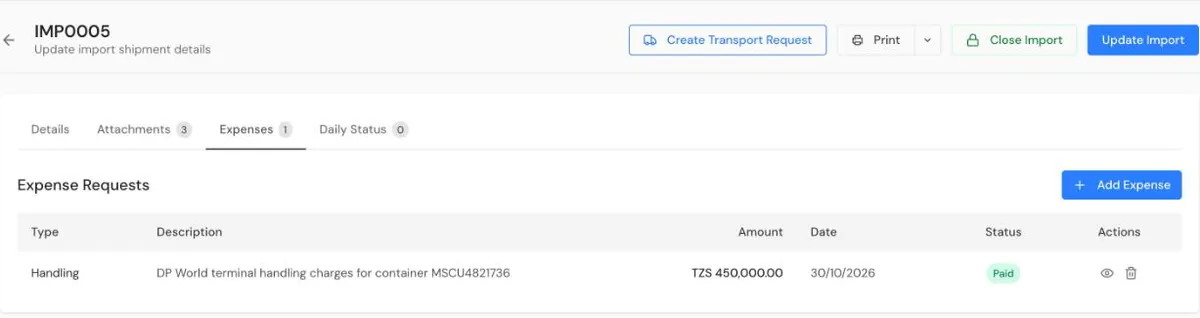
Every cost belongs to a file
Costs are requested against the job they were spent on, so you can see what has been requested, approved and paid for each file.
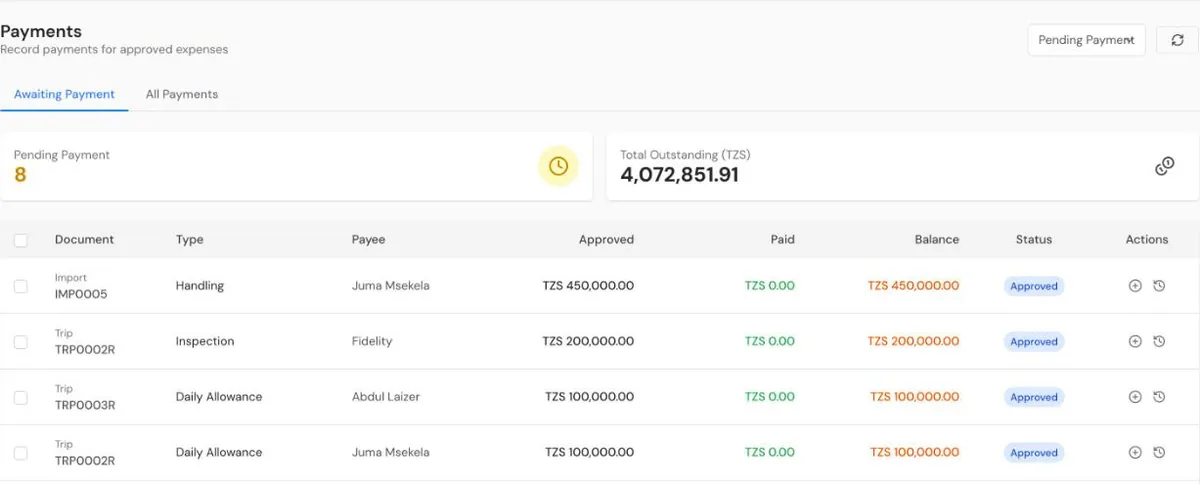
Pay approved costs
Approved expenses move to payments, and the payment is recorded against the same file.
From quotation to invoice
Quote the customer in Kani LMS, link the quote to the file, and turn it into the invoice when the work is done.
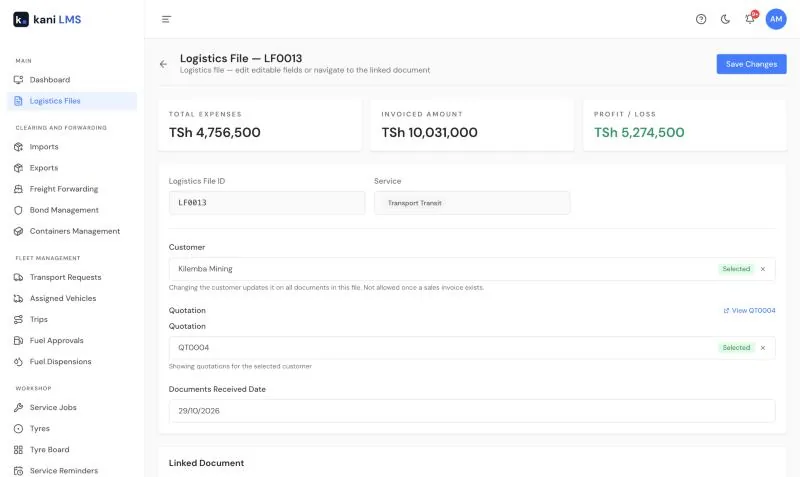
Profit at the top of every file
Profit or loss sits at the top of the file and moves as costs come in. The dashboard adds revenue, expenses, net profit, profit margin, pending approvals and outstanding receivables.
Reports and QuickBooks
Owners get emailed reports, including a File report that shows profit for each import, export, freight forwarding or transport file.
Approved invoices and expenses go across to QuickBooks as you work, so your accountant stops asking for the same paperwork twice.
How it works
- Request the cost against the file.
- Review it, approve it, then pay it.
- Invoice the customer and read the profit.
Questions and answers
Who approves expenses?
Two people. A manager reviews each cost, then a second approver signs it off before payment. Fuel requests follow the same idea, with the Fleet Manager reviewing and the Operations Manager approving.
Can I see profit before I send the invoice?
Yes. The file shows profit or loss as costs come in, so you see the result while the job is still open.
Can I see everything waiting for approval?
Yes. The dashboard shows how many approvals are pending and their total value.
Does it work with QuickBooks?
Yes. Approved invoices and expenses sync to QuickBooks. If you use a different accounting system, tell us.
How much does it cost?
TZS 30,000 per user per month, with every feature included. The minimum is 3 users.
TZS 30,000 per user, per month
Every feature is included. The minimum is 3 users, so you start at TZS 90,000 a month.
See full pricing and training options · Read the Kani LMS user guide